Apps · Health · Android
Stedora watches over you quietly and calls for help only when you cannot
Your phone’s motion sensors detect a fall: a drop, an impact, then stillness. You get 30 seconds to say “I’m okay”, with big, easy-to-read buttons. If you don’t answer, Stedora texts your emergency contacts with a map link to where you are and calls your primary contact. It is designed for older adults and the people who care about them.
- In development
- Detects falls on the phone
- No account needed
- Works with the screen off
- English + Türkçe
- Not a medical device

Why Stedora?
Calls for help automatically
If you can’t answer, the SMS and call go out on their own; you don’t need to reach for the phone.
Readable and simple
Big buttons, a short countdown and plain language, designed with older users in mind.
Detects on the device
Fall detection happens on the phone. Motion data does not leave it.
Adjustable
Set the sensitivity and where you carry the phone (pocket, pendant, waistband).
How it works
1 · It detects the fall
The phone’s motion sensors watch for a drop, an impact and then stillness.
2 · 30 seconds are yours
You have 30 seconds to say “I’m okay”. If you answer, nothing is sent.
3 · No answer, your contacts are alerted
Your emergency contacts get an SMS with a map link to your location and your primary contact is called.
4 · It tells them you are safe
When the alert is over, your contacts are told you are safe.
Works with the screen off
Runs in the background; needs location, SMS, phone and motion permissions.
Caregiver pairing (optional)
Pair with a 6-digit code, no account; the caregiver sees the alert. Smartwatch heart rate can optionally be shared too.
Screenshots
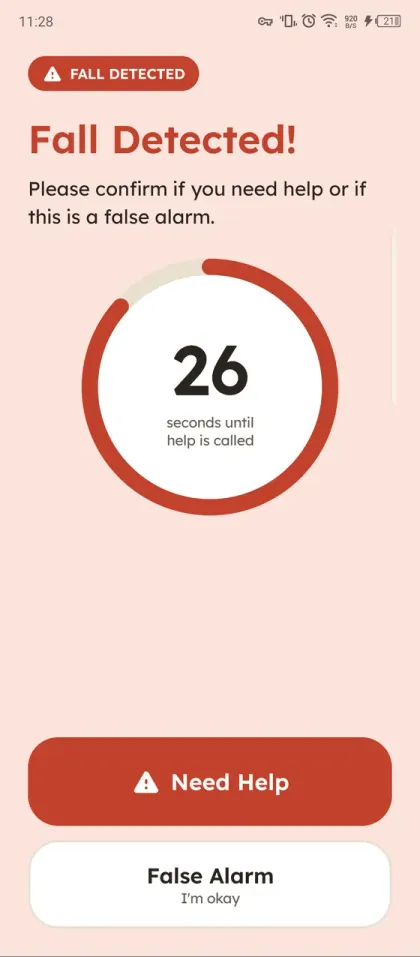
Fall detected: 30-second countdown 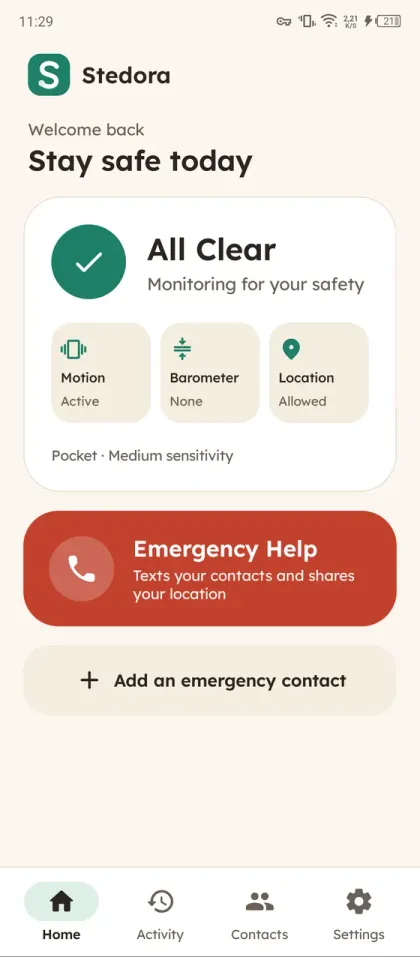
Home: monitoring status and emergency help 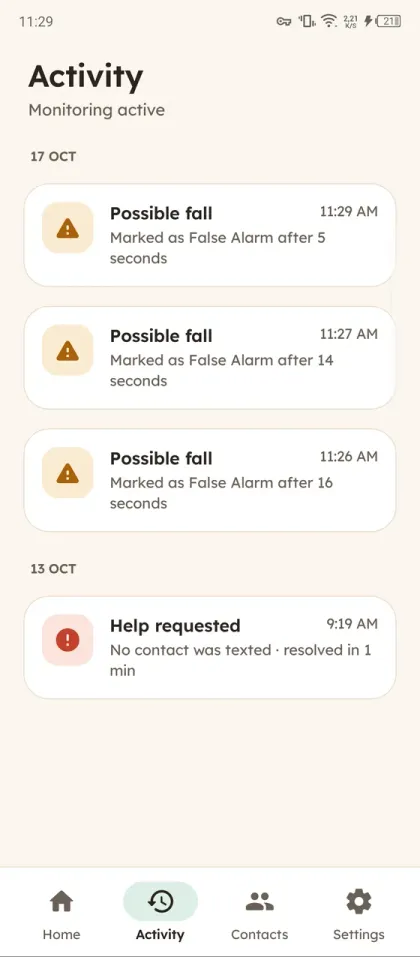
Activity history 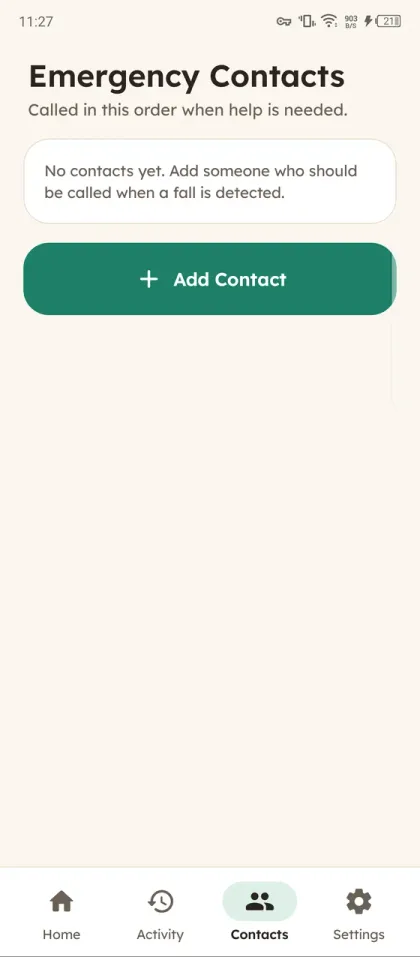
Emergency contacts
Privacy
Stedora’s core function runs entirely on your phone.
- Falls are detected on your phone; motion data is not stored or sent.
- No account, no ads, no analytics and no tracking tools.
- Your emergency contacts and their numbers are stored only on the phone, encrypted.
- If you pair a caregiver, they can see your location during an alert, and it is deleted from the server when the alert ends.
Important
Stedora is not a medical device and does not contact emergency services. It cannot guarantee that every fall is detected or that help will arrive. Please keep other safety measures in place as well.
Frequently asked questions
Does Stedora call emergency services?
No. Stedora does not contact emergency services; it texts the emergency contacts you chose and calls your primary contact.
Do I need an account?
No. Fall detection and SMS work without an account. Caregiver pairing is optional and uses a 6-digit code.
Does it work with the screen off?
Yes. It needs location, SMS, phone and motion permissions to do so.
Where should I carry the phone?
Pocket, pendant or waistband; you can choose where you carry it and the sensitivity in settings.
Does testing send a real SMS?
Yes, a simulated fall can send a real SMS; use your own number as the contact when testing.